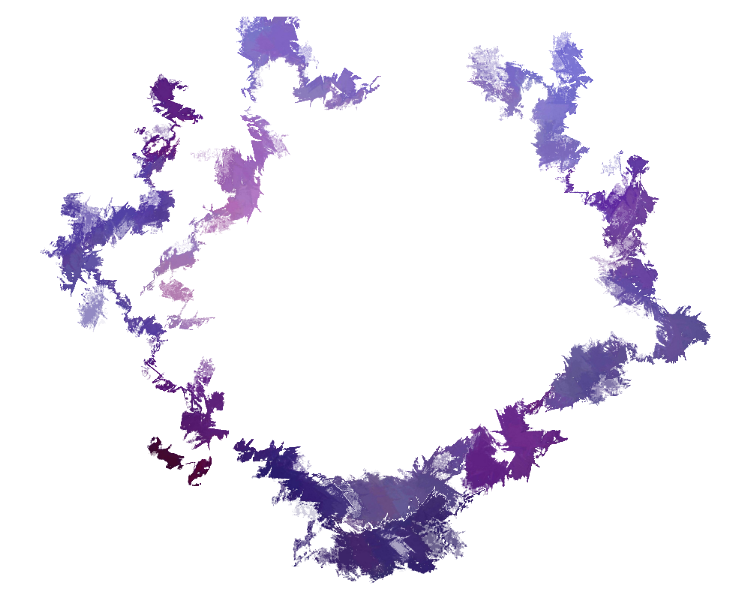
Hover the image (sorry no touch) to see the effect.
The parallax effect is obtained with images stacked on top of each other. In this example there are three images: bottom layer, mid layer, top layer (the bottom one is blurred).
The trick is done with nested divs:
  /*HTML code*/

  <div id="parallax1">
    <div id="parallax2">
      <div id="parallax3">
      </div>
    </div>
  </div>
Each div has the z-index bigger than the parent and smaller than the child div (obviously the first div doesn't have a parent and the last doesn't have a child).
The background image size is 100% + 50px so there are 50px to move around the image.
  /*CSS*/

  #parallax1{
    background: url('img/paint1.jpg') no-repeat center  center ;
    background-size: calc(100% + 50px);
    width: 750px;
    height: 600px;
    z-index: 1;
  }

  #parallax2{
    background: url('img/paint2.png') no-repeat center  center ;
    background-size: calc(100% + 50px);
    width: 750px;
    height: 600px;
    z-index: 2;
  }

  #parallax3{
    background: url('img/paint3.png') no-repeat center  center ;
    background-size: calc(100% + 50px);
    width: 750px;
    height: 600px;
    z-index: 3;
  }
To move the background image I use mouseover function to call parallax(obj, e, factor) which will calculate the new position of the background.
  /*JavaScript code*/

  $("#parallax1").mousemove(function(e){
    parallax(this, e, 25);
  });

  $("#parallax2").mousemove(function(e){
    parallax(this, e, 75);
  });

  $("#parallax3").mousemove(function(e){
    parallax(this, e, 125);
  });
The main function is parallax(obj, e, factor) where factor is how much the pointer position will effect the position of the background image.
  /*JavaScript code*/

  function parallax(obj, e, factor){
    var width = factor / $(obj).width();
    var height = factor / $(obj).height();
    var pageX = e.pageX - ($(window).width() / 2);
    var pageY = e.pageY - ($(window).height() / 2) - $(window).scrollTop();
    var newvalueX = width * pageX * -1 - 25;
    var newvalueY = height * pageY * -1 - 25;
    $(obj).css("background-position", newvalueX + "px " + newvalueY + "px");
  }
This is just an example, don't use it as it is. However you can take inspiration, modify and distribute... it is published under the MIT license.